
All Rights Reserved
Daeda Technologies
AI Workflow Automation
RevOps Strategy
Your HubSpot Portal Setup Takes 200 Clicks. Mine Takes 2.
Your HubSpot portal setup takes 200 clicks. Mine takes 2. Here is what Plan Mode is, and why it changes everything.
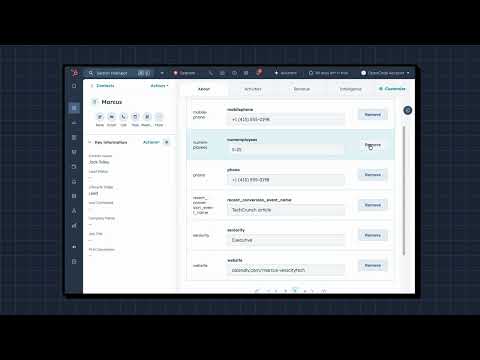
If you have ever set up a new HubSpot portal — or reconfigured one after a reorg — you know what this looks like. Properties to create, pipelines to define, lifecycle stages to map, workflows to build, lists to segment, and associations to configure. Every action is a separate screen. Every screen is a separate click. By the end of the day you have made hundreds of micro-decisions and are not sure you got them all right.
Plan Mode in Daeda MCP Pro is the answer to that problem.
What Is Plan Mode?
Plan Mode is a feature in Daeda MCP Pro that lets you define a full set of portal changes in a structured plan, review it before anything executes, and then apply it in a single confirmation step.
Instead of clicking through HubSpot screens one action at a time, you describe what you want to achieve in conversation with Claude. Claude drafts a complete execution plan — every property, pipeline, workflow, and configuration change laid out in a readable format. You review it, adjust anything that does not look right, and confirm.
Two steps. One plan, one execution.
The 200-Click Problem
Let me be specific about what 200 clicks actually means in practice.
A mid-size RevOps team setting up a new HubSpot portal for a reorg might need to:
- Create 15 custom contact properties
- Build 3 new deal pipelines with 6 stages each
- Define lifecycle stage mappings for 4 object types
- Set up 8 active workflows across different triggers
- Create 12 smart lists for segmentation
- Configure 20 association rules between object types
Each of those actions involves navigating to the right screen, filling in a form, saving, and returning. A conservative estimate is 5 to 10 clicks per action. At 80 actions, you are well past 200 clicks — often without even accounting for the inevitable mistakes you discover an hour later and have to go back and fix.
Plan Mode collapses all of that into a structured conversation.
How It Works in Practice
The flow looks like this:
Step 1: Describe your intent. Tell Claude what you are setting up and why. You might say: “We are splitting our sales team into two segments — SMB and Enterprise — and need separate pipelines, lifecycle stages, and routing workflows for each.”
Step 2: Claude drafts the plan. Using your existing portal data from the Daeda MCP sync, Claude constructs a full execution plan. It knows what already exists in your portal, so it does not duplicate properties or overwrite live configurations. The plan is presented in a clear, reviewable format.
Step 3: Review and refine. Read through the plan. If a stage name is wrong or a workflow trigger needs adjusting, tell Claude. It updates the plan before anything touches your portal.
Step 4: Confirm and execute. Once the plan looks right, a single confirmation triggers the execution. Daeda MCP Pro applies every change through the HubSpot API in sequence, with error handling and a clear log of what was done.
The result: a complete portal configuration — audited, intentional, and repeatable — without a single manual form.
Why This Matters for RevOps
The value of Plan Mode is not just speed, though speed is significant. The deeper value is auditability.
When a configuration is built by clicking through forms, there is no natural record of what was done or why. When it is built through a Plan Mode execution, the plan document itself is the record. You can share it with your team, store it in your docs, and replay it on another portal if needed.
RevOps teams operating across multiple HubSpot instances — and this is exactly who Daeda MCP Pro is built for — need that kind of structured, repeatable execution. Plan Mode is the mechanism that makes it practical.
Getting Access
Daeda MCP Pro, including Plan Mode, is currently in private alpha.
If you are managing complex HubSpot environments and want to move past the 200-click setup model, join the waitlist and describe your use case.
The free version of Daeda MCP — local read access and AI-powered portal querying — is available now: npmjs.com/package/daeda-mcp

