Skip to content

Daeda AI

Daeda AI brings the power of Artificial Intelligence to HubSpot.

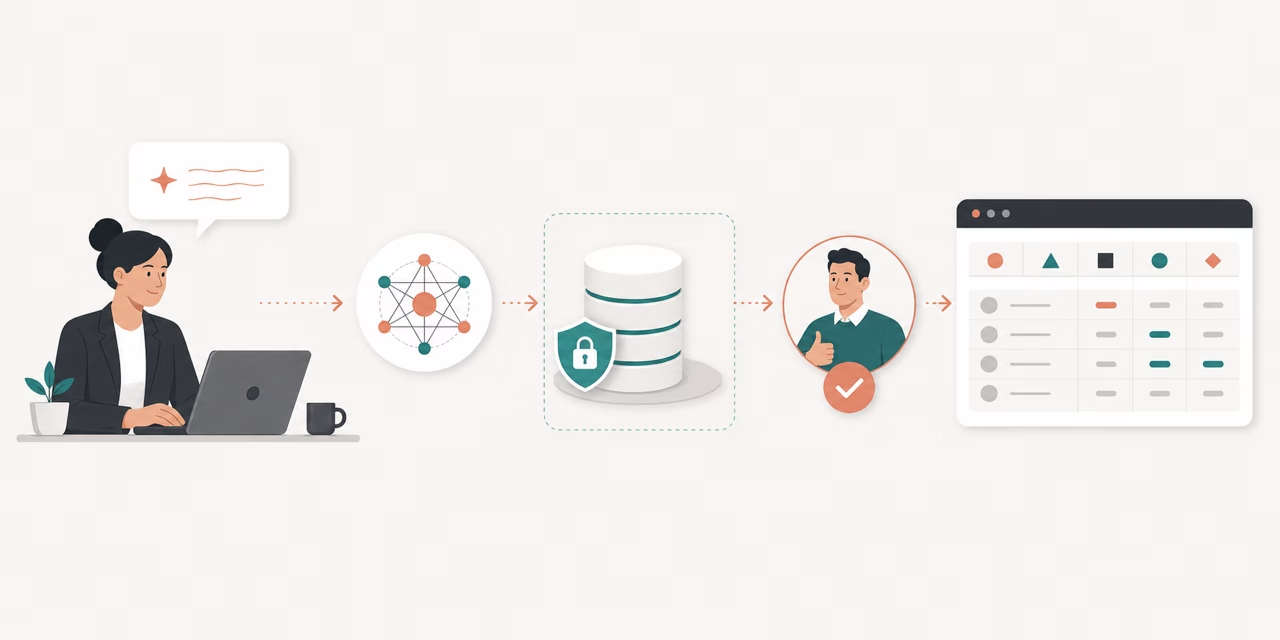
It is built for agencies and HubSpot experts who want to work with AI on HubSpot operations - from analysis and property updates to draft Write Plans that are reviewed and approved inside Daeda AI before anything runs.

Daeda AI Overview

Daeda AI Walkthrough

Daeda AI is one product with three feature pillars.

PillarWhat it doesLives in
AI-Powered Workflow ActionsAdd AI intelligence to any HubSpot workflow with a custom workflow action that matches your portal’s property formatsHubSpot workflows
Autofill CRM CardAnalyse recent emails for property updates that may have been missedContact and Company records
Automation SuiteSync portal data into Daeda’s managed database for AI analysis, generate ICP reports, answer portal questions, and create human-approved Write PlansYour AI client + Daeda’s managed database service + Daeda AI in HubSpot

The Ask AI workflow action runs inside HubSpot workflows. You write the prompt, the AI returns the result in the output format you chose, and the workflow continues. Because the action is built natively into HubSpot, it can read your portal’s properties and match its output to the format you need.

AutoFill reads recent emails associated with a Contact or Company and suggests property updates you can review and commit in a couple of seconds. It uses the same OpenRouter API key you bring to the workflow action, so cost and model selection stay under your control.

The Automation Suite is the new, deeper part of Daeda AI. It makes it easy to work with the AI on your computer against authorized HubSpot context:

  • Sync portal data into Daeda’s managed database service so the AI can analyse it without per-question HubSpot API calls.
  • Generate ICP reports, answer portal questions, and explore your CRM in plain English.
  • Create Write Plans - reviewable plans for HubSpot changes that always pass through a human-approved review step in Daeda AI.

The Automation Suite uses the @daeda/mcp-pro MCP server, which runs inside your AI client (Claude Code, Cursor, or any other MCP-compatible tool) and connects to Daeda’s managed database service. The managed mirror is what makes fast portal queries and the Write Plan flow possible.

The free daeda-mcp package - an open-source MCP server that runs locally against a SQLite mirror you control - is the read-only sibling product. It is documented as a child page of Daeda AI in the sidebar.

Daeda AI uses an OpenRouter key you provide for the Ask AI workflow action and AutoFill. That keeps model selection, cost, and rate limits under your control.

The Automation Suite does not use this key. It runs through whichever MCP-compatible AI client you already use (Claude Code, Cursor, ChatGPT, etc.) on that client’s own subscription.

Where the key is usedWhy
Ask AI workflow actionEach workflow run calls your OpenRouter key
AutoFillEmail analysis and property suggestion

Daeda AI ships with two paid plans. Both include a 7-day free trial.

PlanPriceUsersPortals includedExtra portals
Consultant$125/month1 user5 connected portals$25/month per extra portal
Agency$375/monthUnlimited users5 connected portals$75/month per extra portal

Both plans include full feature access and support.

The free trial behaves like temporary Agency access. It starts on first real use of an MCP license key from the Automation Suite, not on app install.

The Master Settings tab in Daeda AI controls the workspace.

AreaWhat it does
MCP License KeysCreate, rename, regenerate, and revoke license keys for the Automation Suite
Connect a HubSpot PortalGenerate install links for client portals
Connected PortalsView connected portals, granted scopes, and disconnect access

Daeda AI is the review and approval surface for CRM changes proposed by AI agents in the Automation Suite.

Plans can be reviewed, rejected, re-authorized, and executed from the Daeda AI settings page in HubSpot.

The Other AI Features tab holds the BYOK setup.

FeaturePurpose
OpenRouter key managementSave a validated OpenRouter API key for this portal
AutoFillRead associated sales emails and suggest CRM property updates

Daeda AI uses a master-and-client portal model.

Portal typePurpose
Master portalOwns the Daeda AI workspace, billing state, license keys, and connected-portal management
Client portalGrants data scopes and becomes queryable through the Automation Suite

One workspace can connect multiple client portals. Each client portal authorises its own scopes, and the same workspace license can then access those portals through the Automation Suite.

Daeda AI does not assume every portal grants every scope.

Scopes are selected when you generate a client-portal install link. If a Write Plan or metadata query later needs more access, Daeda AI can surface a re-authorisation step on the affected portal.

What Happens On First Automation Suite Use

Section titled “What Happens On First Automation Suite Use”
CaseResult
Paid plan already activeMCP registration succeeds
No paid plan, unused trial availableTrial starts on first MCP registration and access succeeds
Trial expired and no paid planMCP registration is blocked until a paid plan is chosen
Not handled by Daeda AI aloneWhere it happens
Synced portal data storageDaeda’s managed database service
SQL execution against your synced portalDaeda’s managed database service, via @daeda/mcp-pro
Chart rendering and tool callsThe @daeda/mcp-pro MCP server inside your AI client
Artifact production, sync queues, and plan validationDaeda backend services
NeedUse
Generate or rotate an MCP license keyDaeda AI > Master Settings
Connect another HubSpot portalDaeda AI > Master Settings
Check billing or trial stateDaeda AI > Billing
Save an OpenRouter keyDaeda AI > Other AI Features
Enable AutoFillDaeda AI > Other AI Features
Review and execute Write PlansDaeda AI > Write Plans
Run SQL against synced portal dataAutomation Suite tools in your AI client
Refresh lightweight plugin metadataAutomation Suite tools in your AI client