
Daeda AI In HubSpot
Daeda AI is the HubSpot app surface for reviewing write plans, managing connected portals, working with billing and license keys, and using HubSpot-native Daeda AI features.
Settings Tabs
Section titled “Settings Tabs”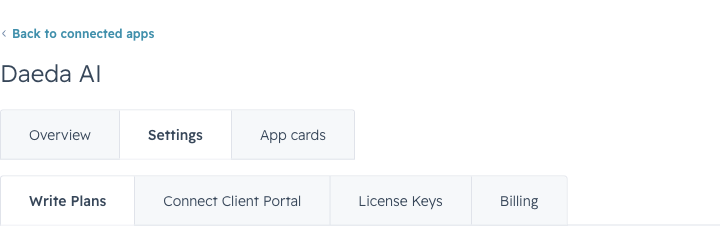
Daeda AI settings live inside HubSpot’s installed app page, with separate tabs for plans, portal connection, license keys, and billing.
| Tab | Use it for |
|---|---|
| Billing | Review billing state, plan selection, trial status, and customer portal access. |
| Connect Client Portal | Connect a portal, choose shared data types, and manage mirror setup. |
| License Keys | Create and manage keys used to connect AI apps and workspaces. |
| Write Plans | Review, execute, reject, search, and filter write plans. |
The settings page is the control center for user-facing administration. Open Write Plans when reviewing changes, Connect Client Portal when managing portal access, License Keys when connecting AI apps and workspaces, and Billing when checking subscription state.
Billing
Section titled “Billing”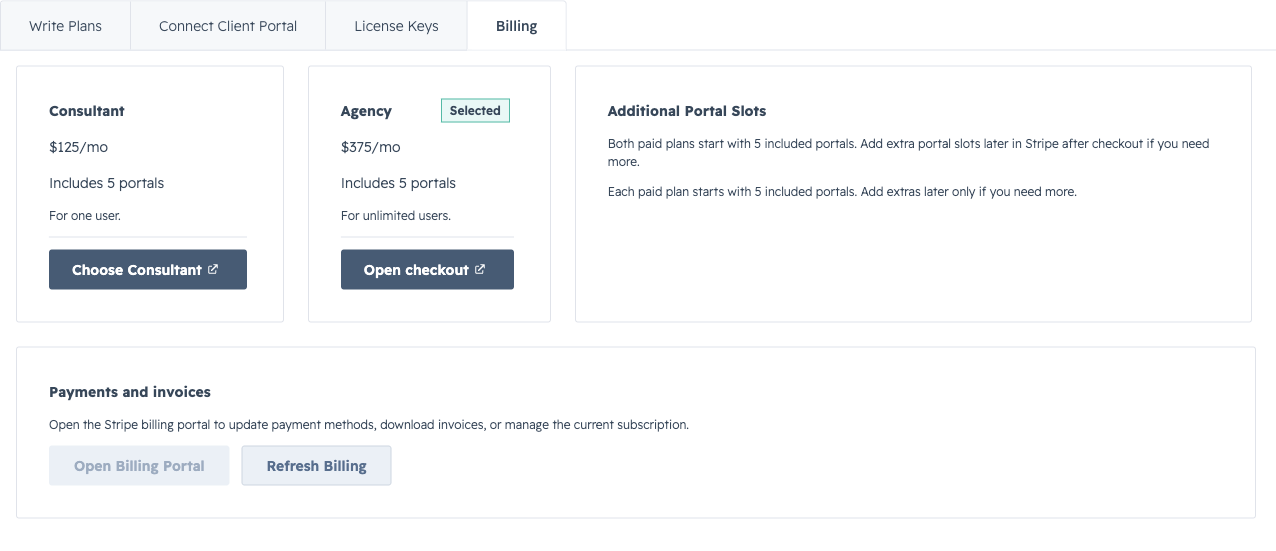
The Billing tab shows available plans, selected plan state, and billing portal controls.
Use Billing to review plan options, see the selected plan, and open billing controls for payment methods or invoices.
Internal Team includes one connected portal. Consultant and Agency include unlimited connected portals. Use the billing portal control for payment methods, invoices, and subscription changes.
License Keys
Section titled “License Keys”Use License Keys to create or confirm the key used by your AI app or workspace. Keep keys limited to the workspace or account that should prepare plans for the connected portal.
HubSpot Surfaces
Section titled “HubSpot Surfaces”| Surface | Name | Details |
|---|---|---|
| Pages | Pages | Available inside the HubSpot app UI |
| Settings | Settings | Available inside the HubSpot app UI |
| Webhooks | Webhooks | Available in the HubSpot app. |
HubSpot surfaces appear where users already work. Cards and pages expose app experiences, workflow actions add Daeda AI to automation, and webhooks keep Daeda AI informed about relevant HubSpot events.
Support
Section titled “Support”For account or app support, contact support@daeda.tech. The configured documentation URL is https://daeda.tech/docs/daeda-ai.